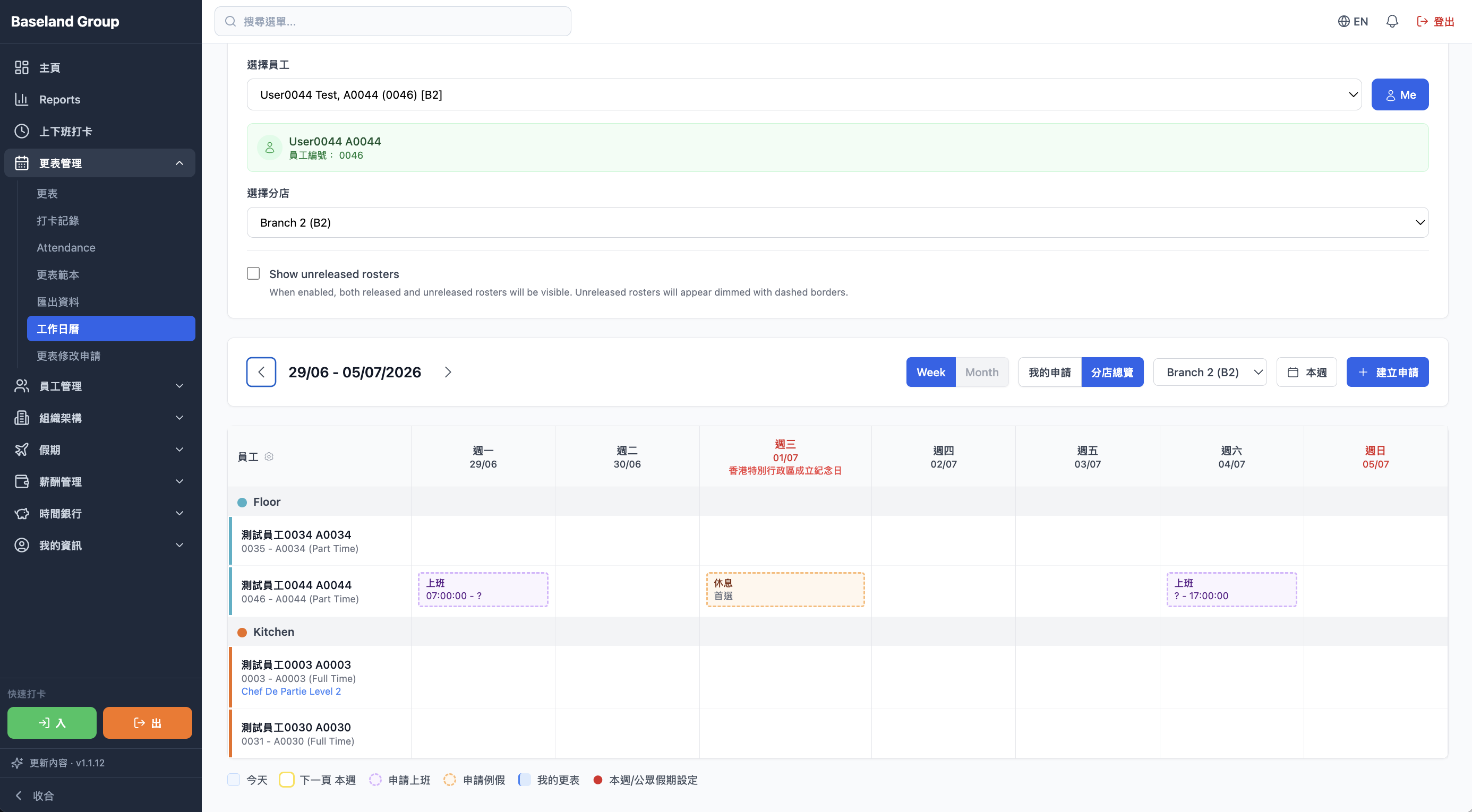
468 smart alerts
468 alerts catch lateness, early leave, absence, missed punches, and other attendance exceptions, and tell a manager straight away.
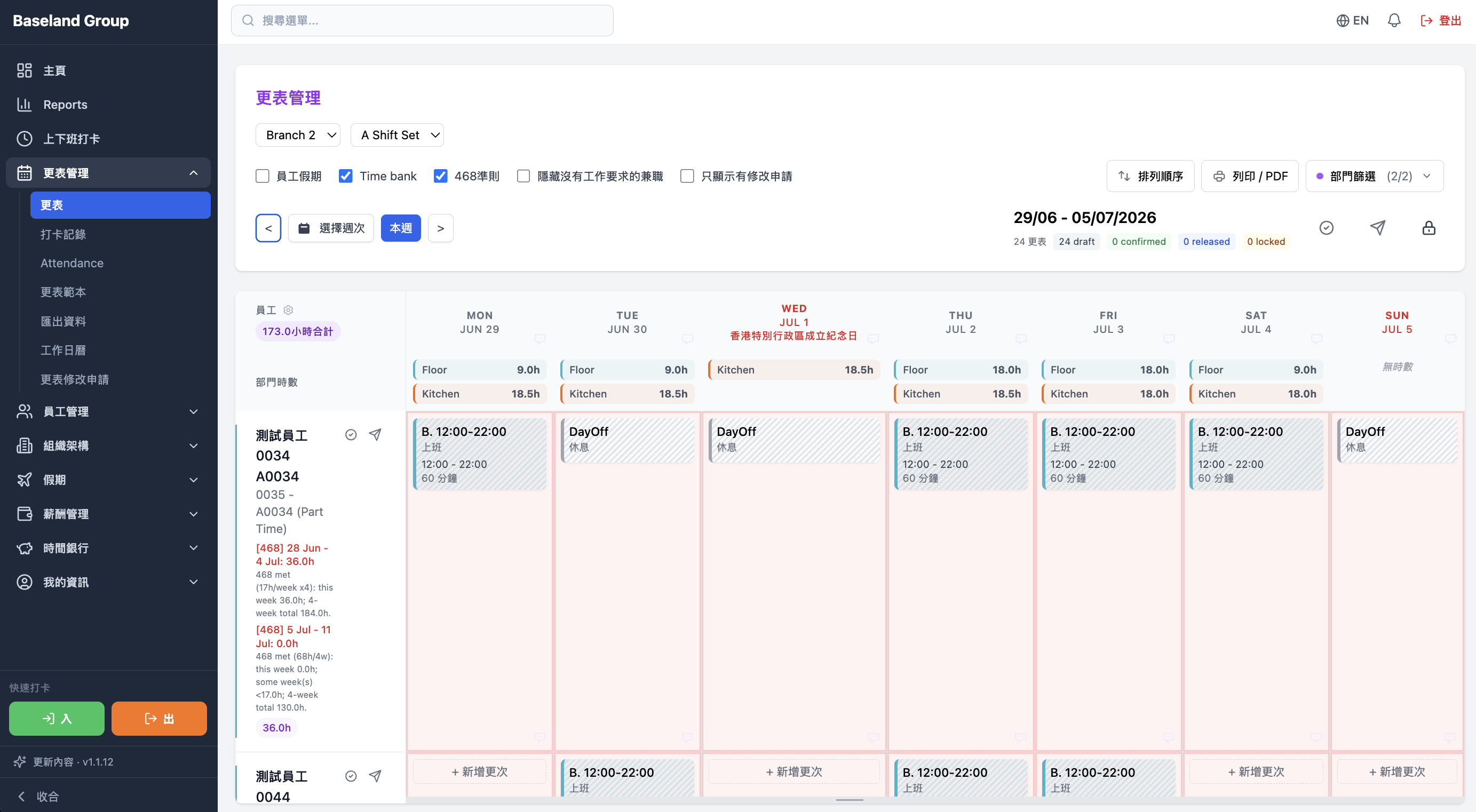
AirHR is a people system for restaurants, retail, and multi-site businesses. Rostering, photo clock-in on a phone, attendance, leave, and automatic pay sit together, with e-payslips, MPF, and IR56 — so ghost shifts and buddy punching are much harder to hide.
Clock-in, attendance, and exceptions sit together, so lateness and missed punches are not checked line by line. A manager can see who is in, and who has not punched.
468 alerts catch lateness, early leave, absence, missed punches, and other attendance exceptions, and tell a manager straight away.
Clock-ins, attendance status, and hours worked live in one record, so managers see who is in without retyping the day.
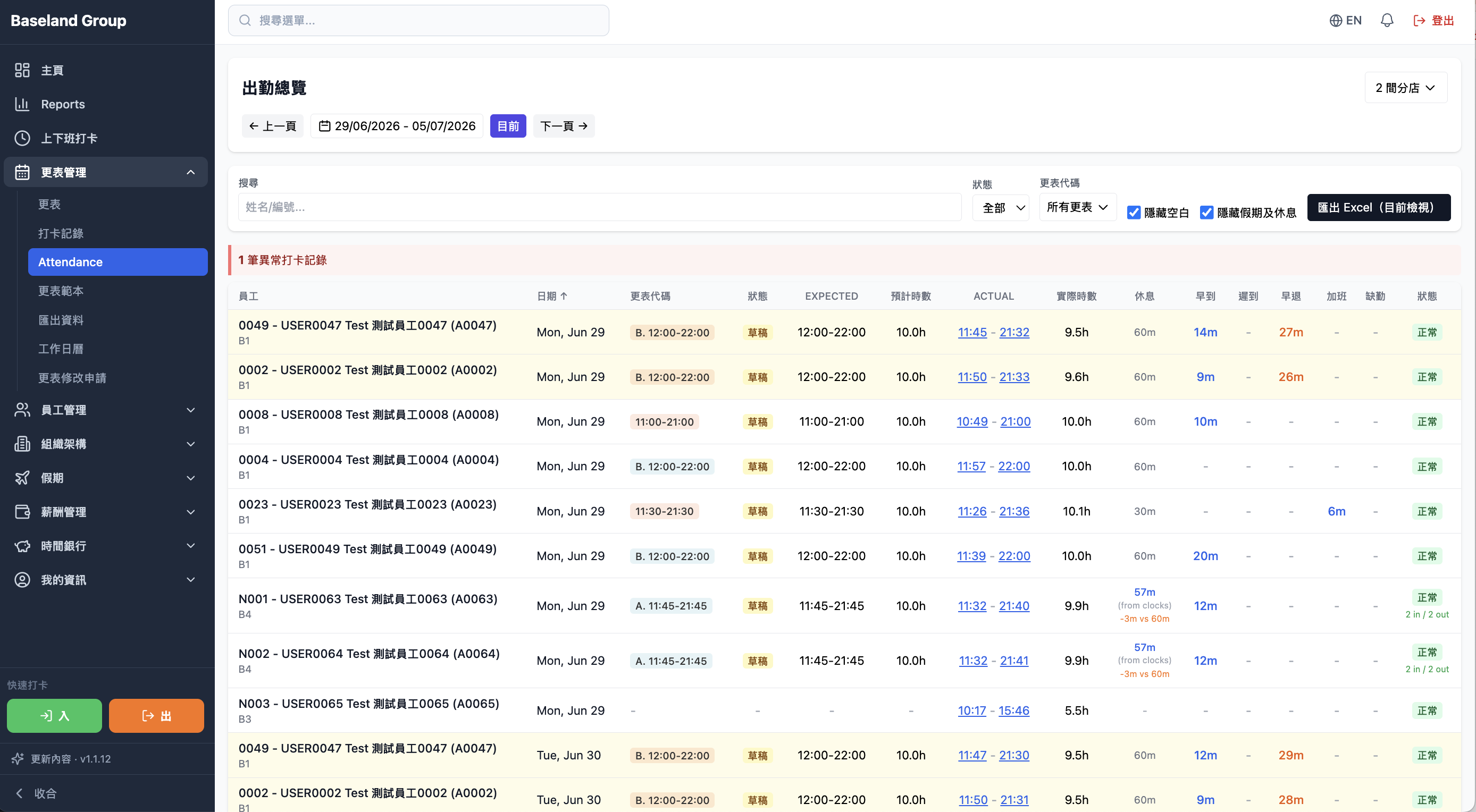
Staff clock in and out with a QR code. The system stores the time and the attendance record, without a separate time clock.
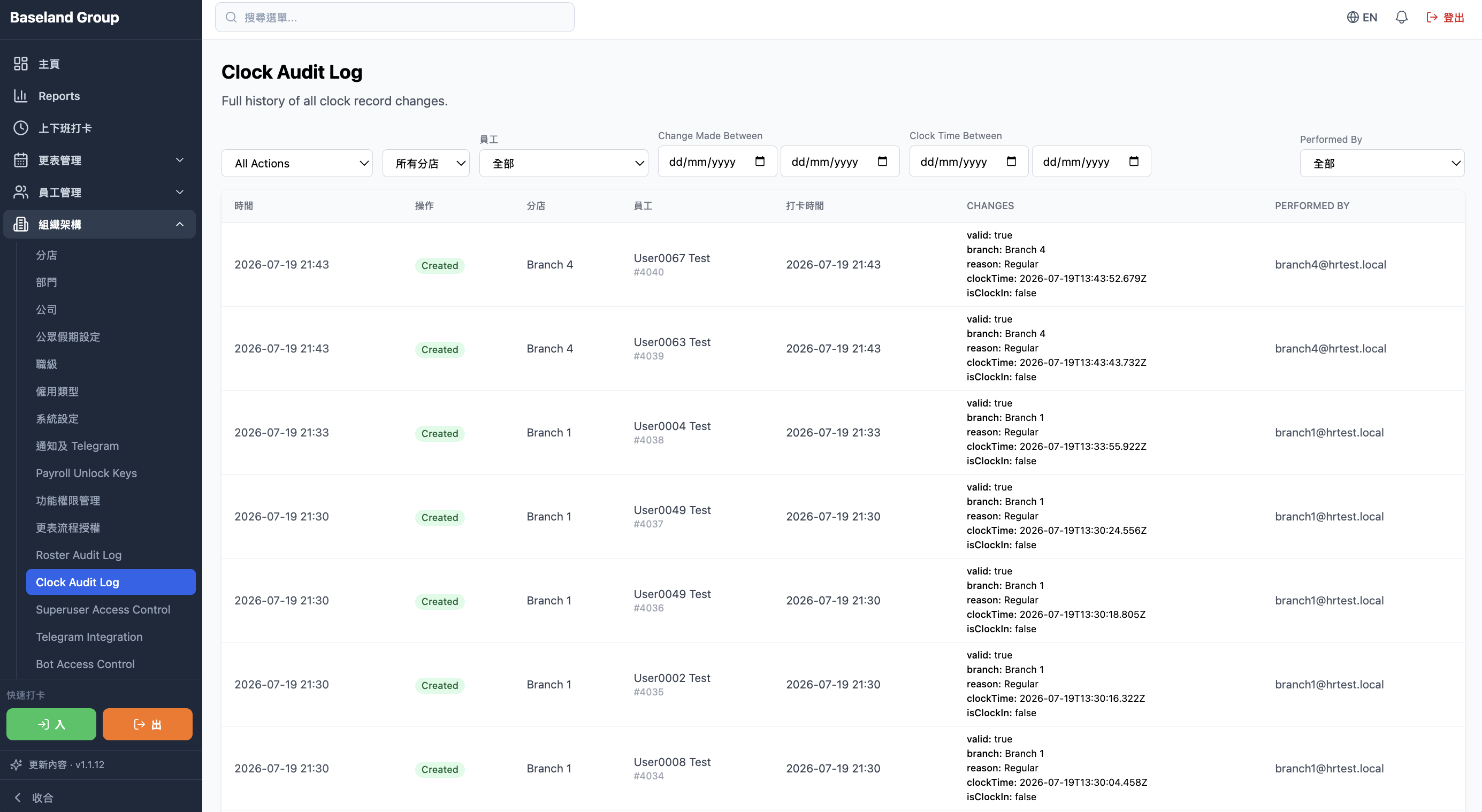
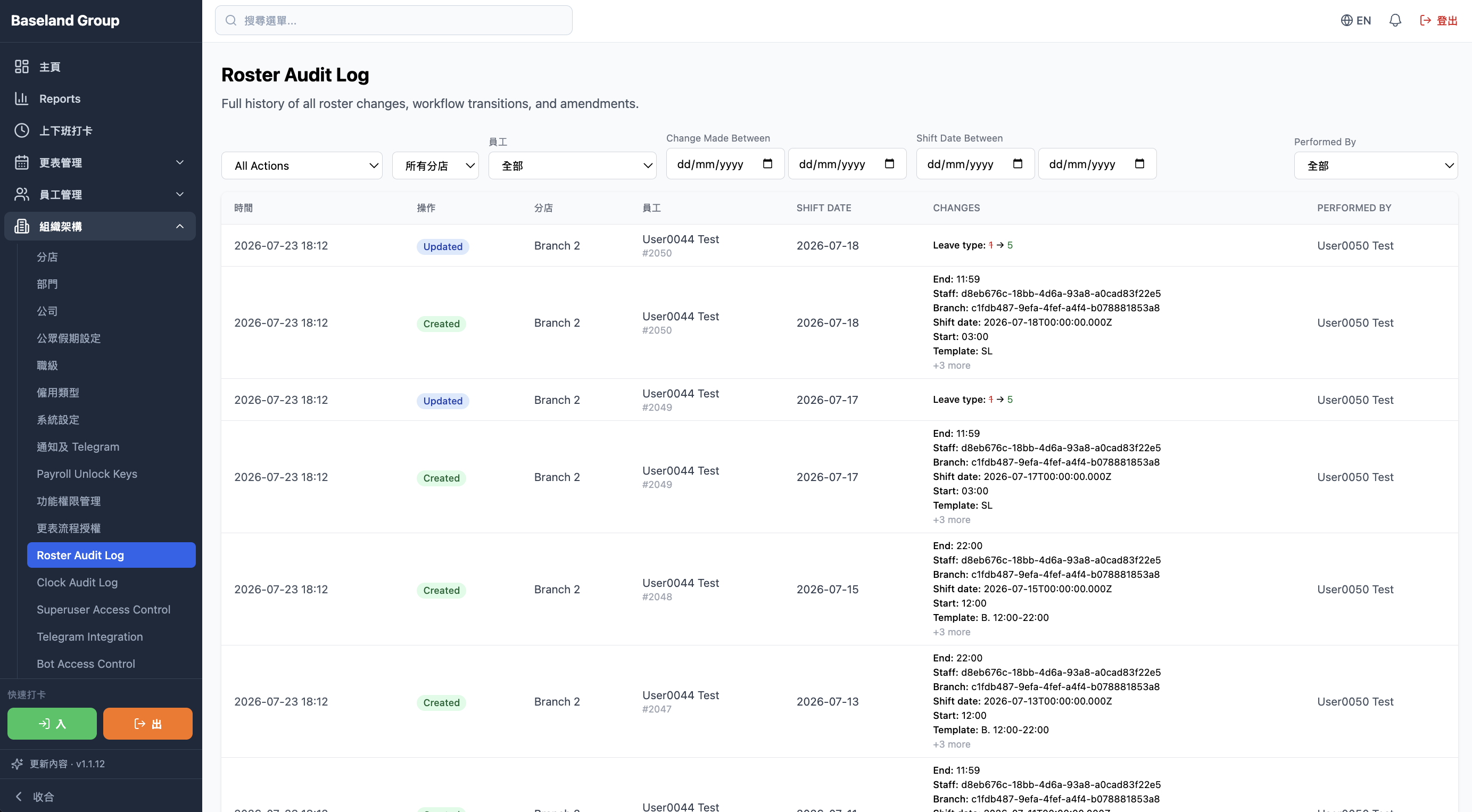
Actions by managers and staff — edits and important setting changes — stay in a history you can trace.
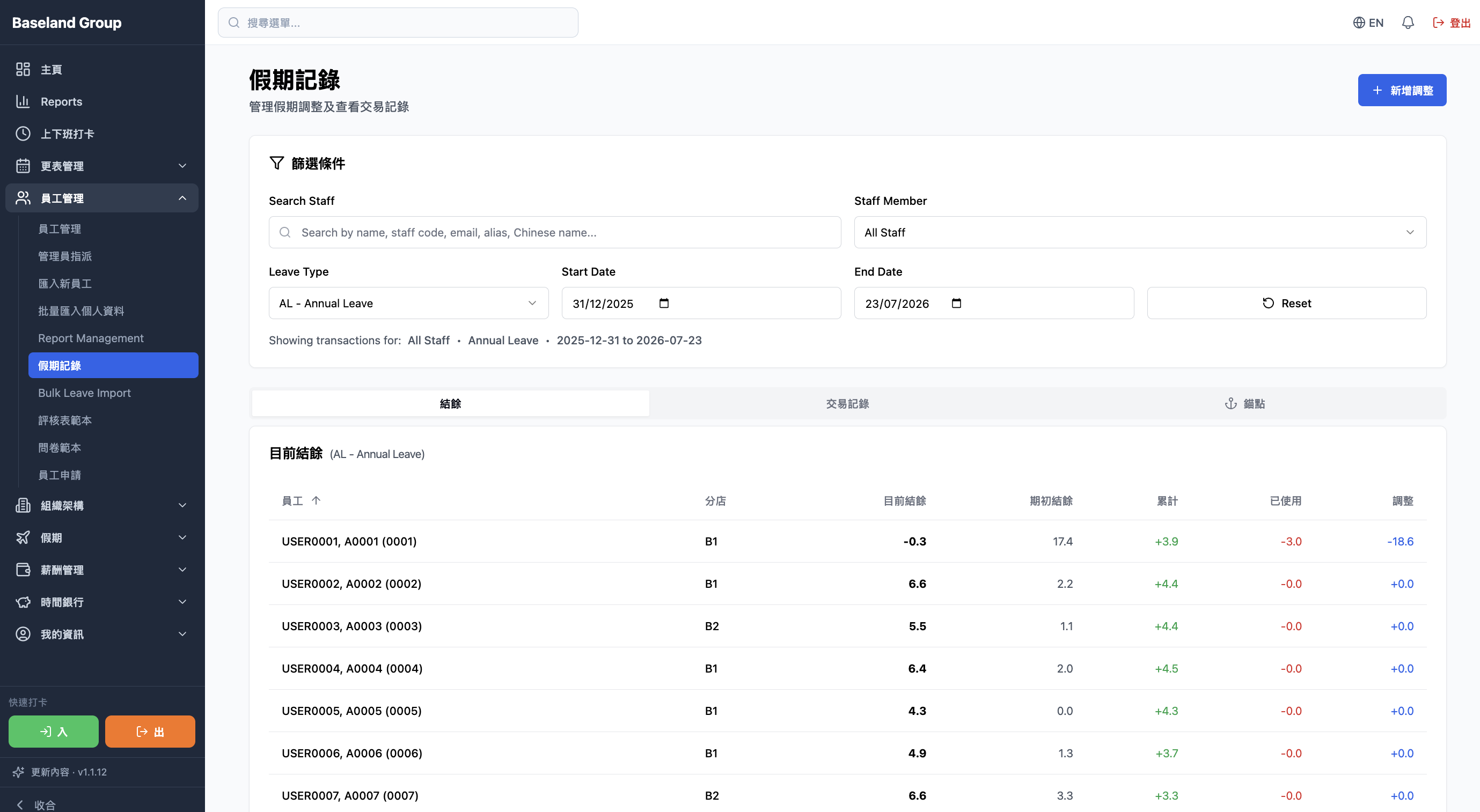
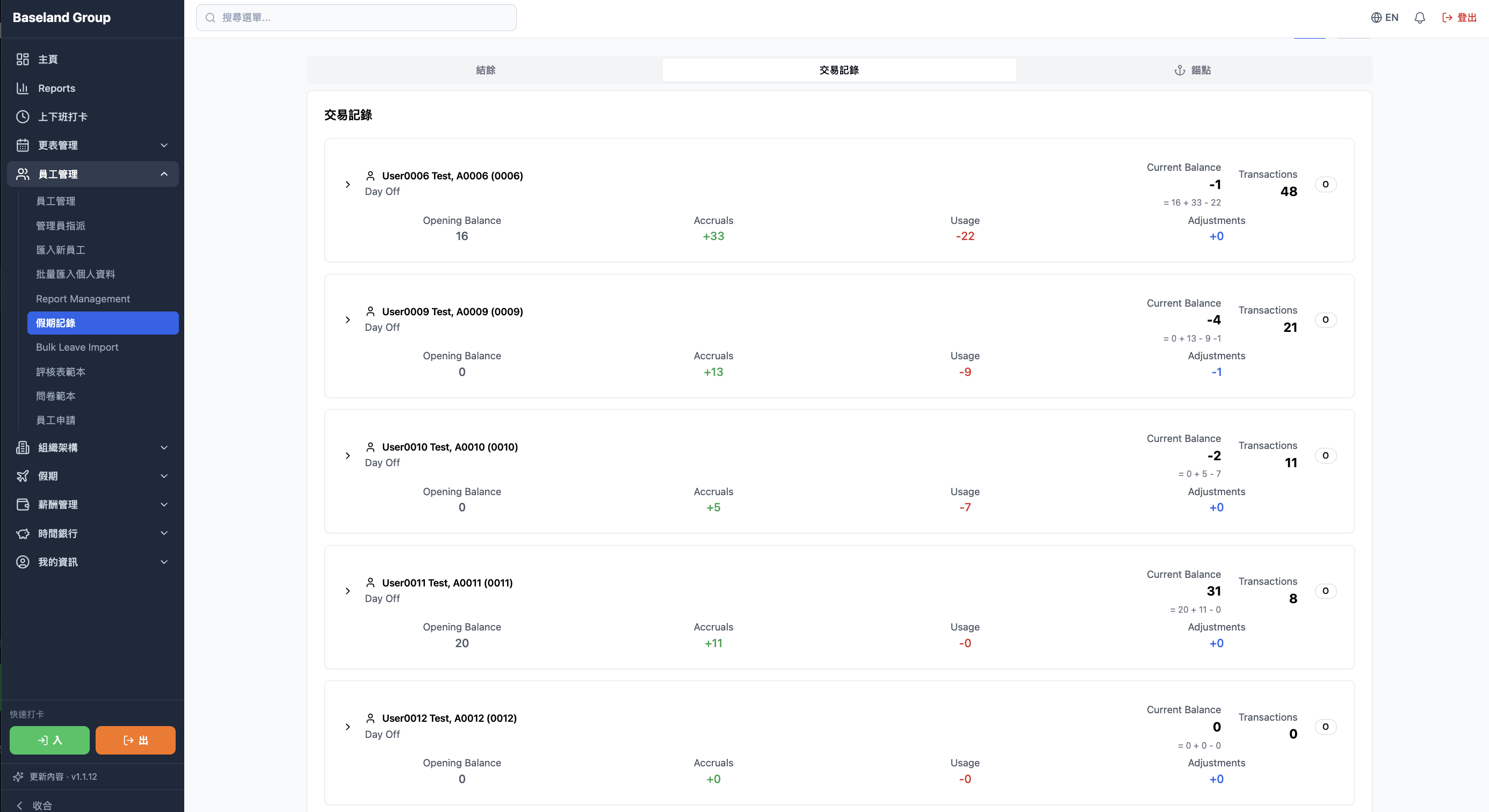
Requests, approvals, and balances stay on one record, and every deduction can be traced. Past leave and balance changes do not need a separate file.
Leave type, request date, the days off, and approval status sit together, so past leave is easy to read.
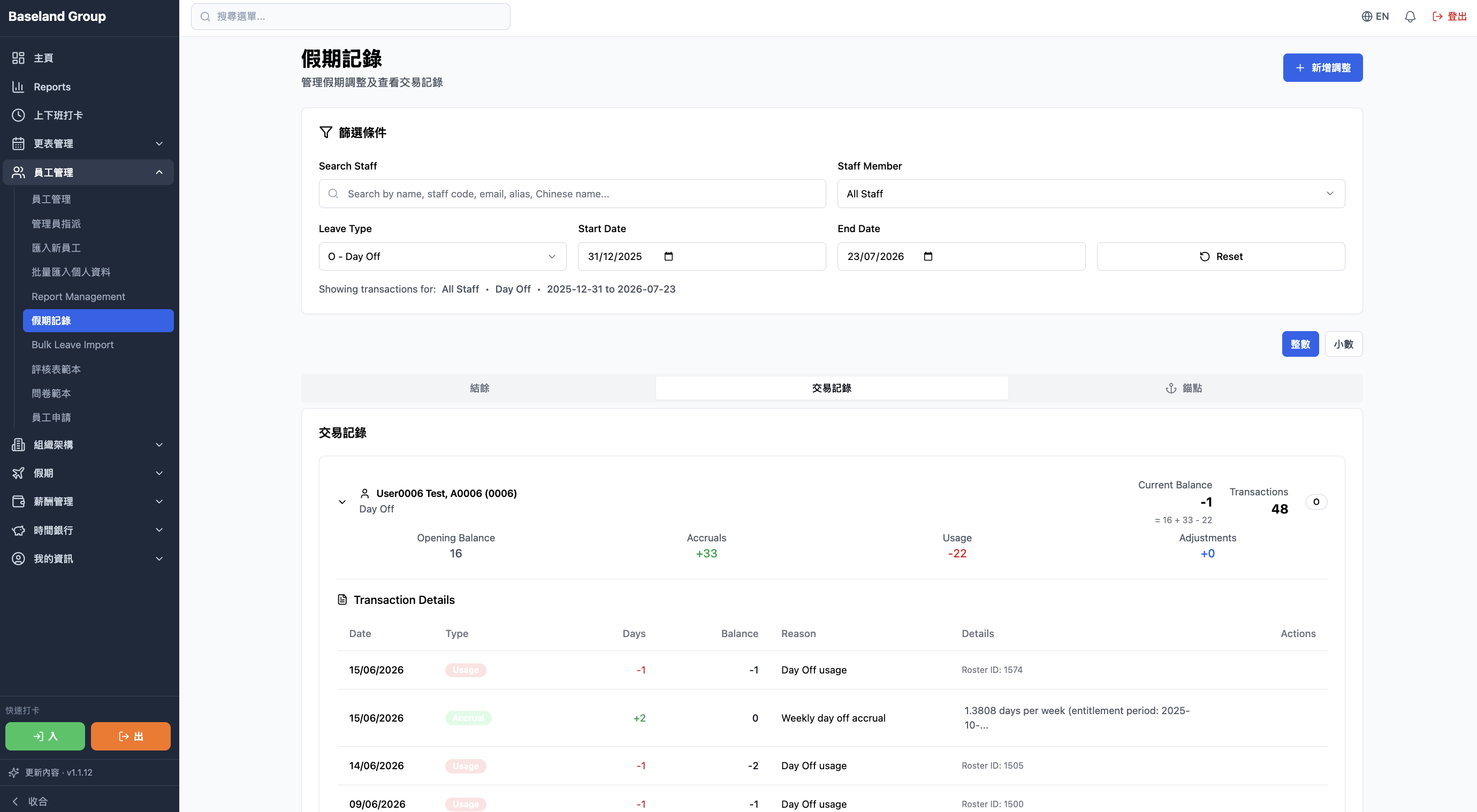
Each entry records the request, the approval, later edits, and the balance deducted, so you can see where a balance came from.
Attendance, hours, and leave feed pay directly. The breakdown and IR56 do not need a separate file. The monthly run needs one less manual check.
Pay settings, attendance, hours, leave, and other pay items calculate together, so the monthly run depends less on a spreadsheet.
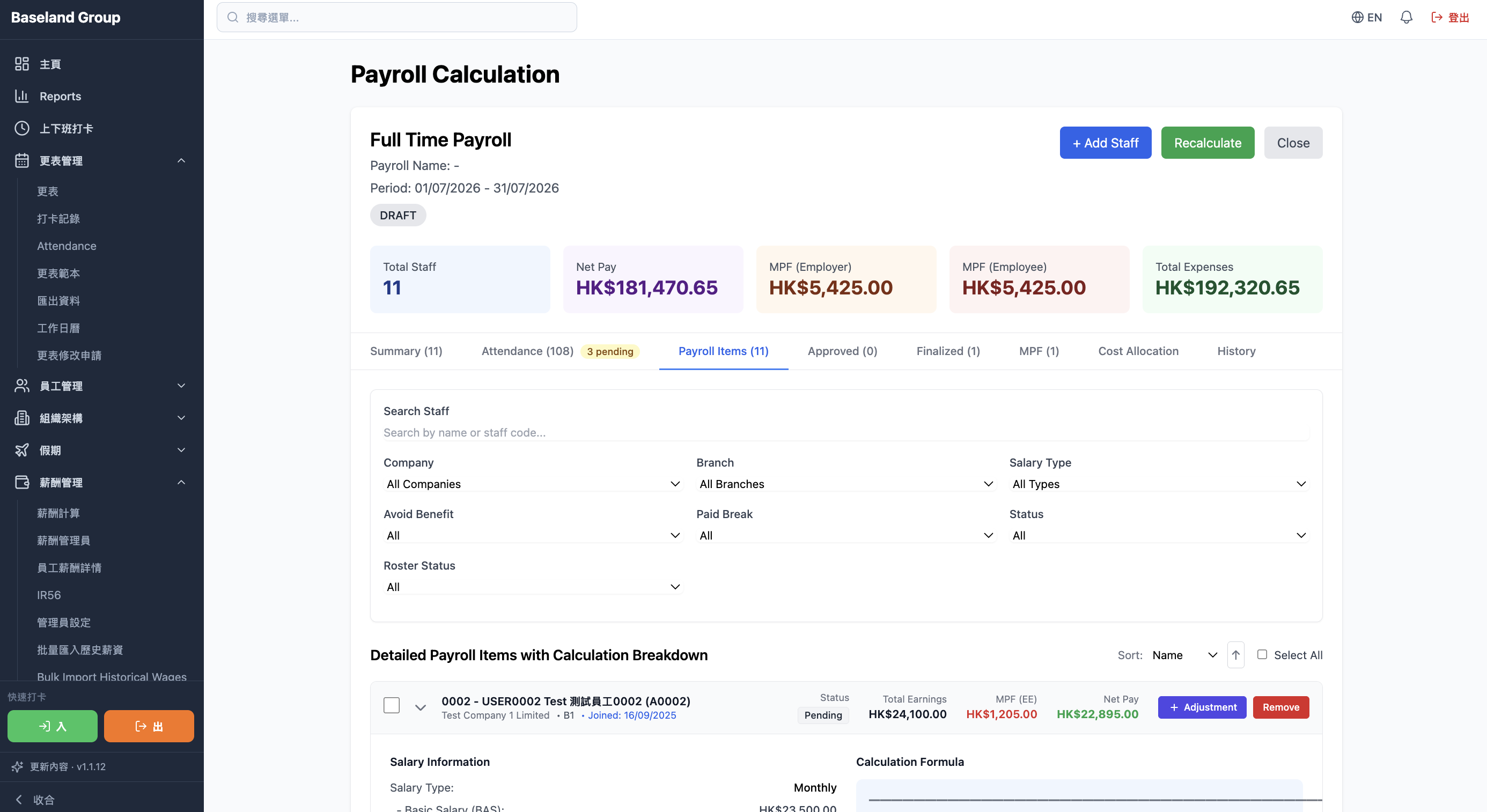
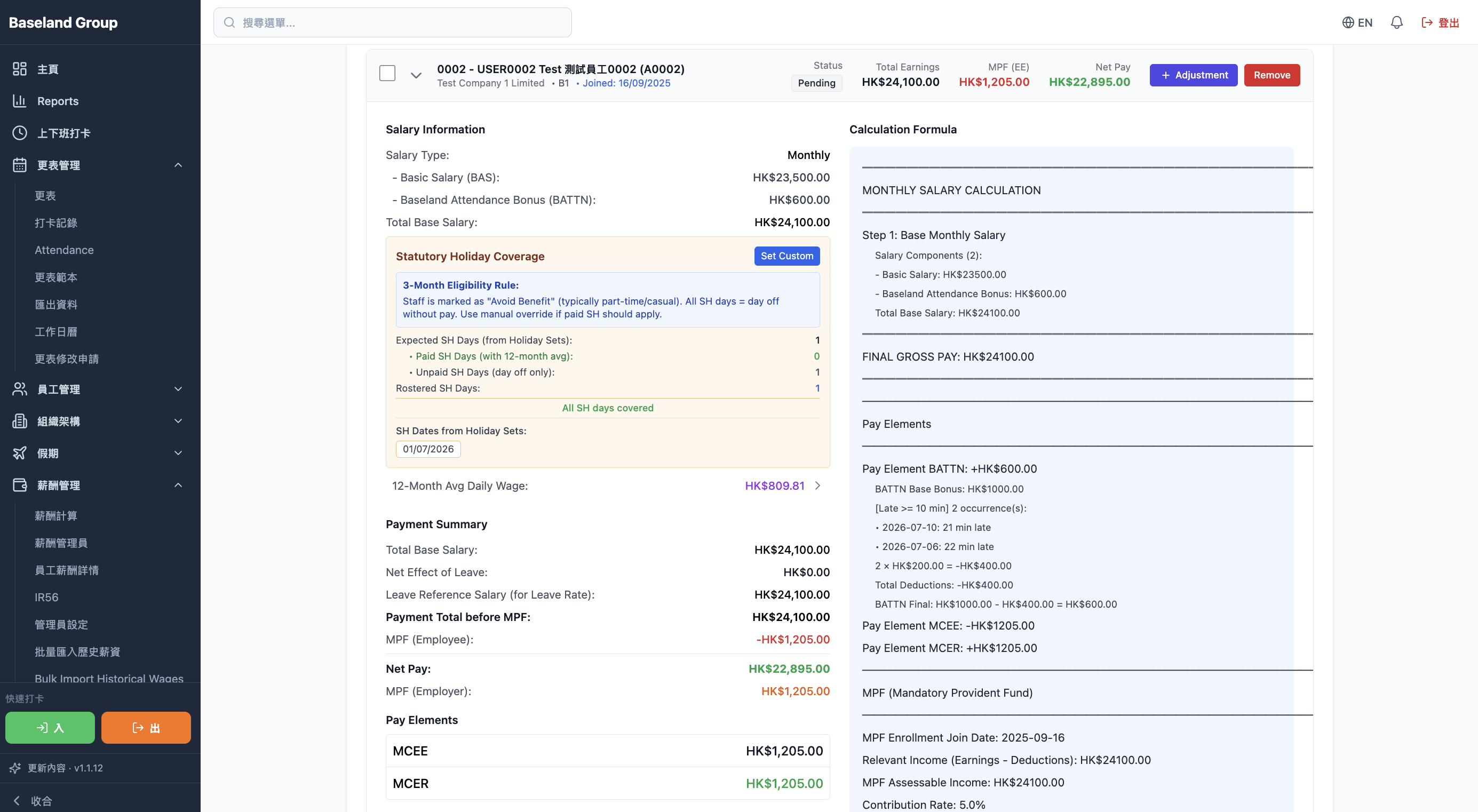
Base pay, allowances, deductions, overtime, and other items are listed line by line for a manager to check.
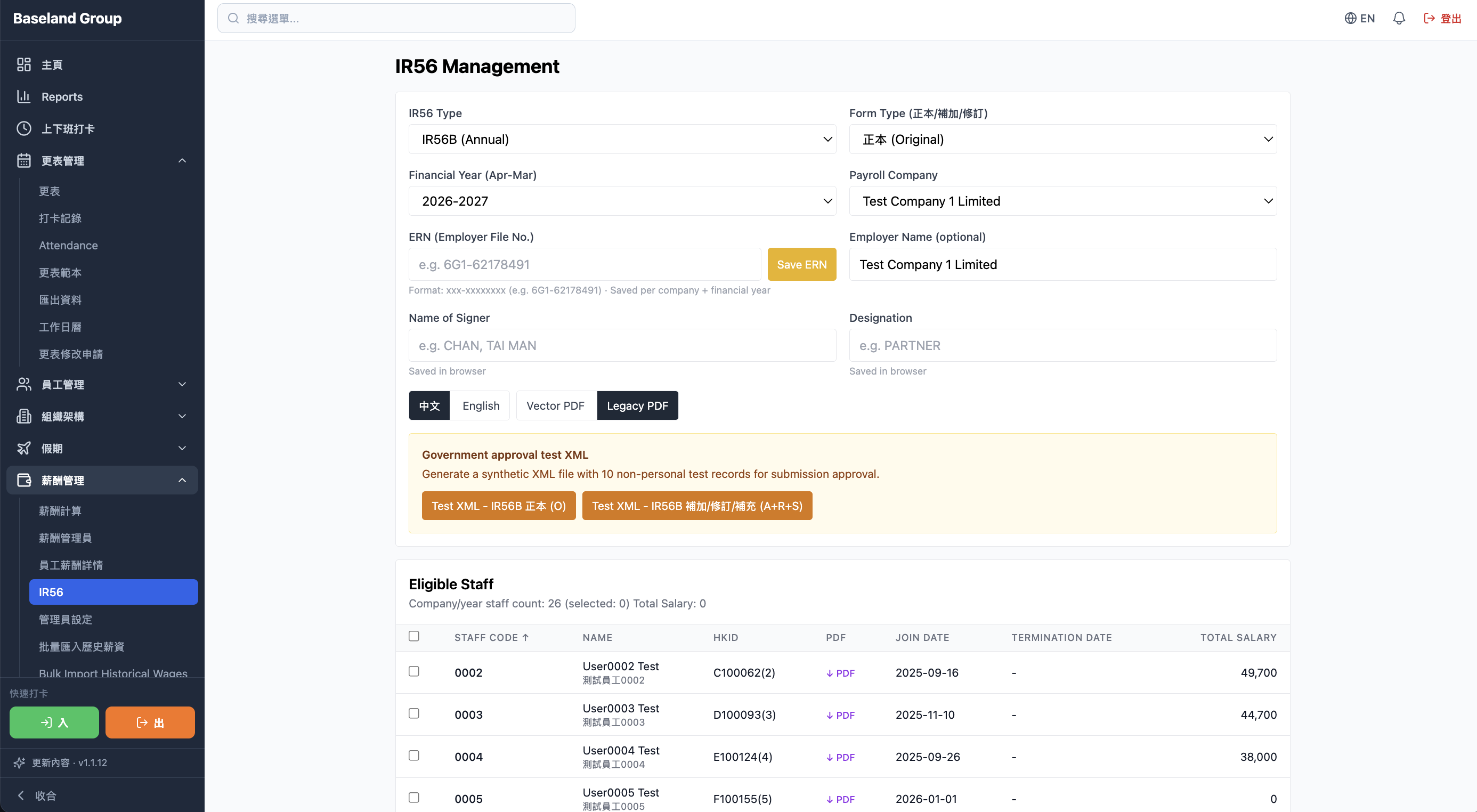
Employee and pay data are pulled together for IR56 filings, with less retyping and less manual sorting.
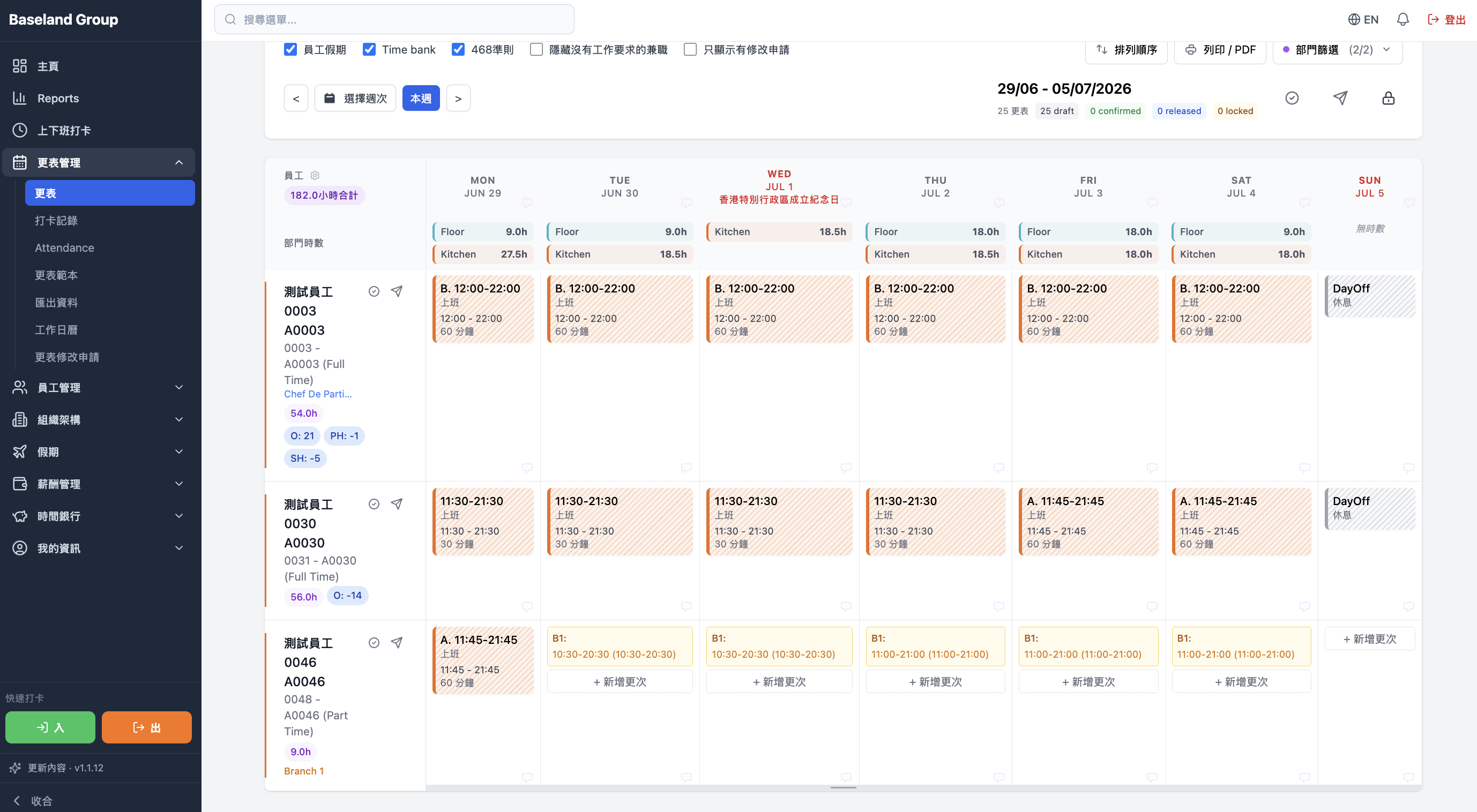
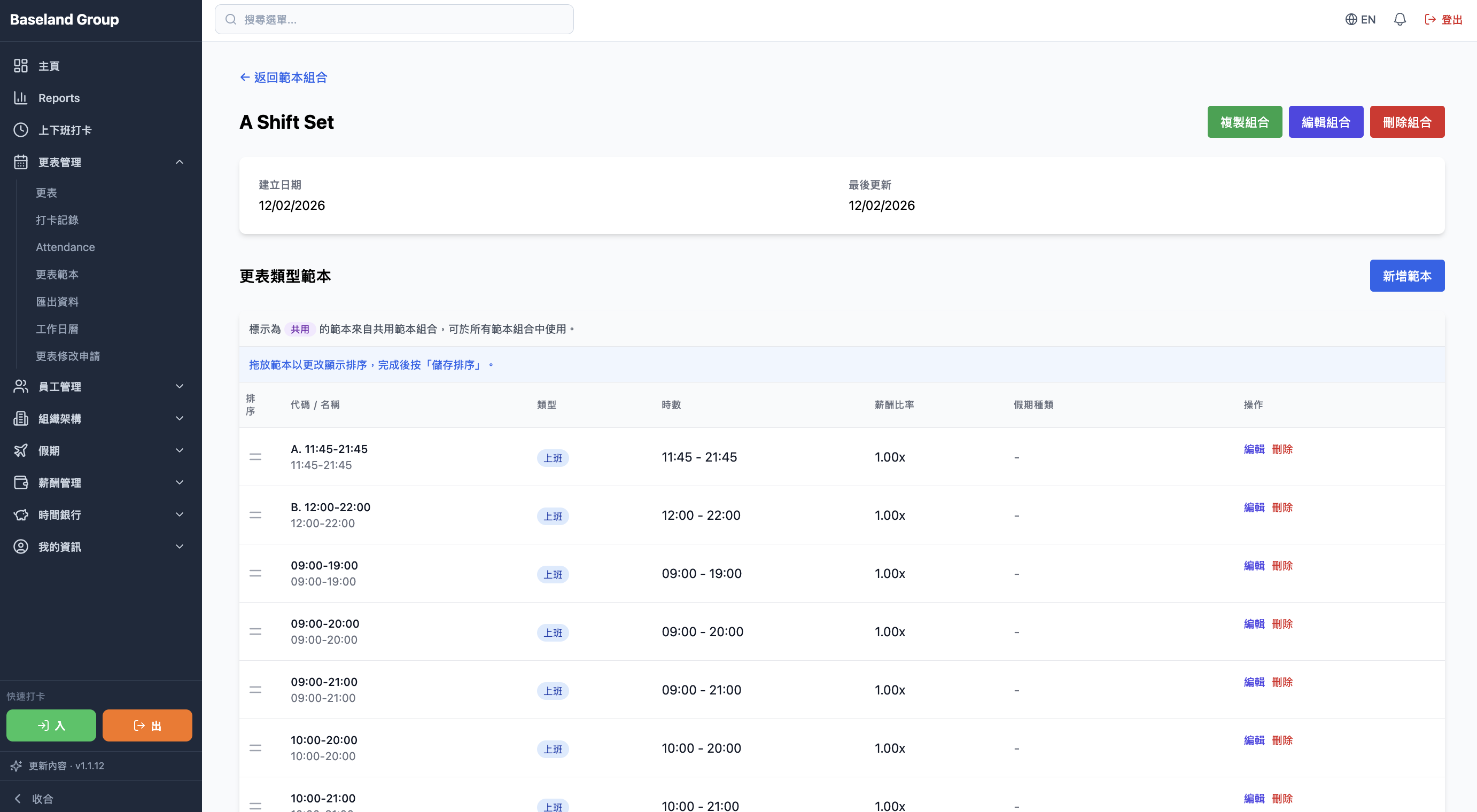
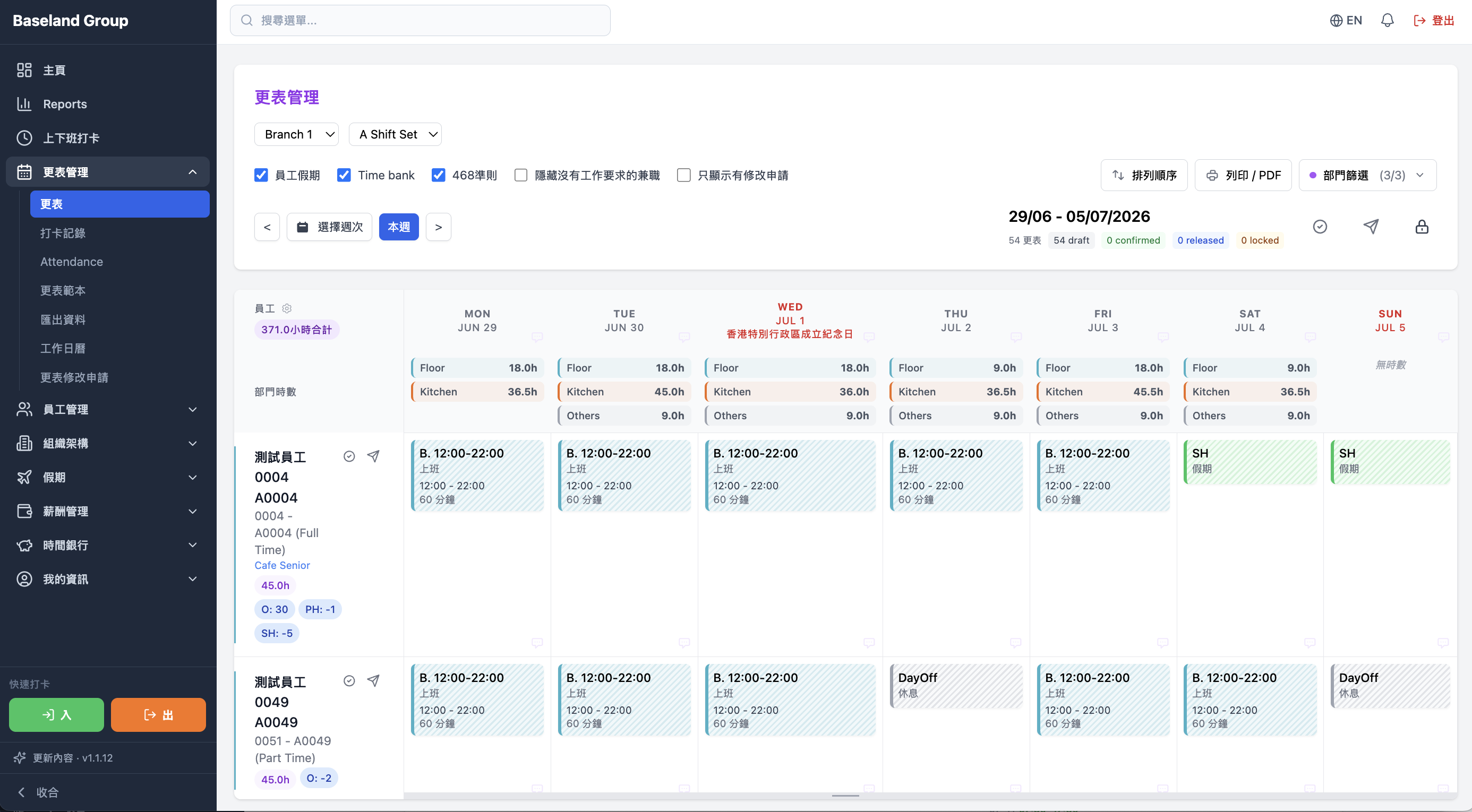
The roster, leave, and who is on the floor stay on one sheet, so you see who is off while you build the week. Shift changes and templates stay in the same flow.
Leave shows on the roster while you build it, so a day off does not become an empty shift.
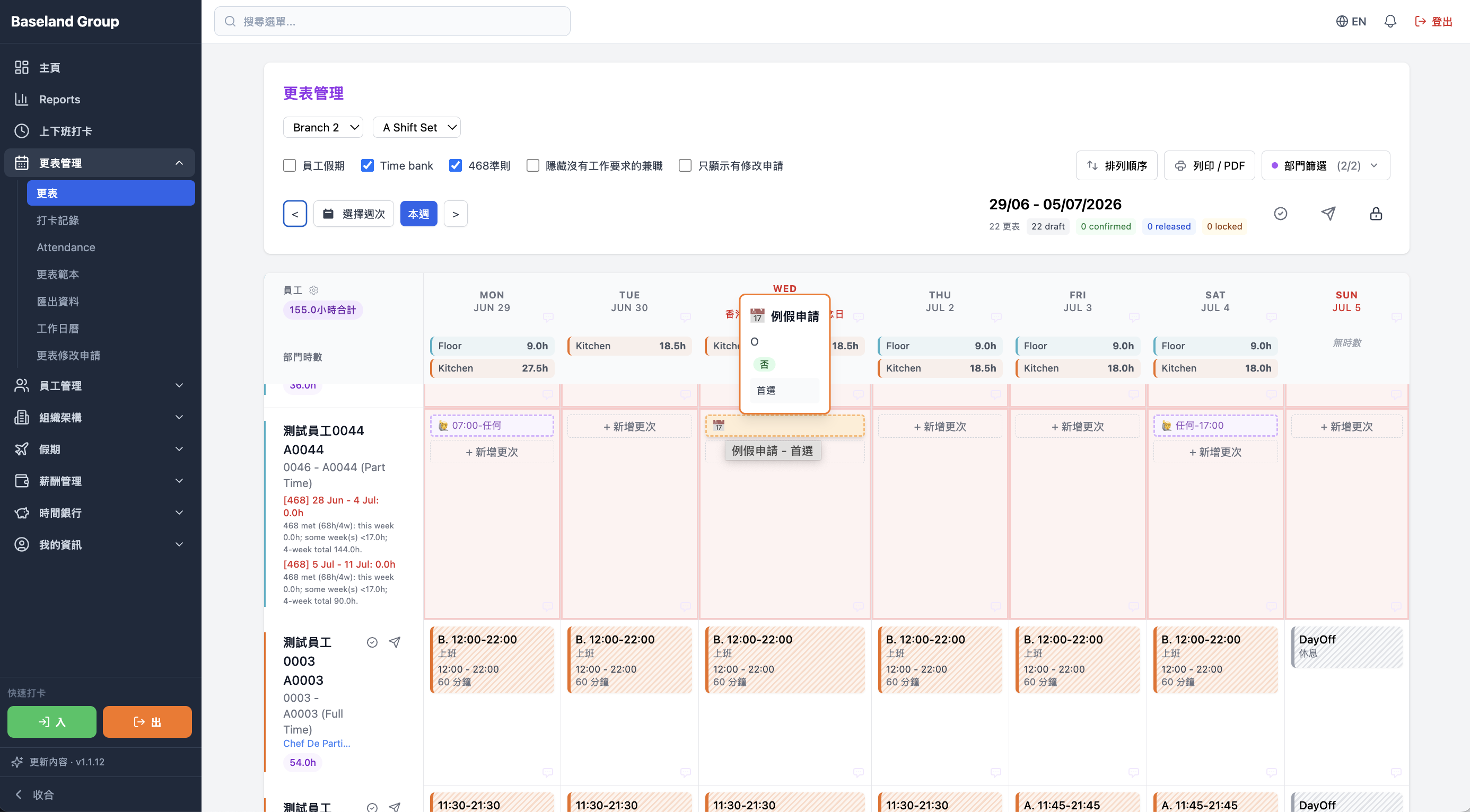
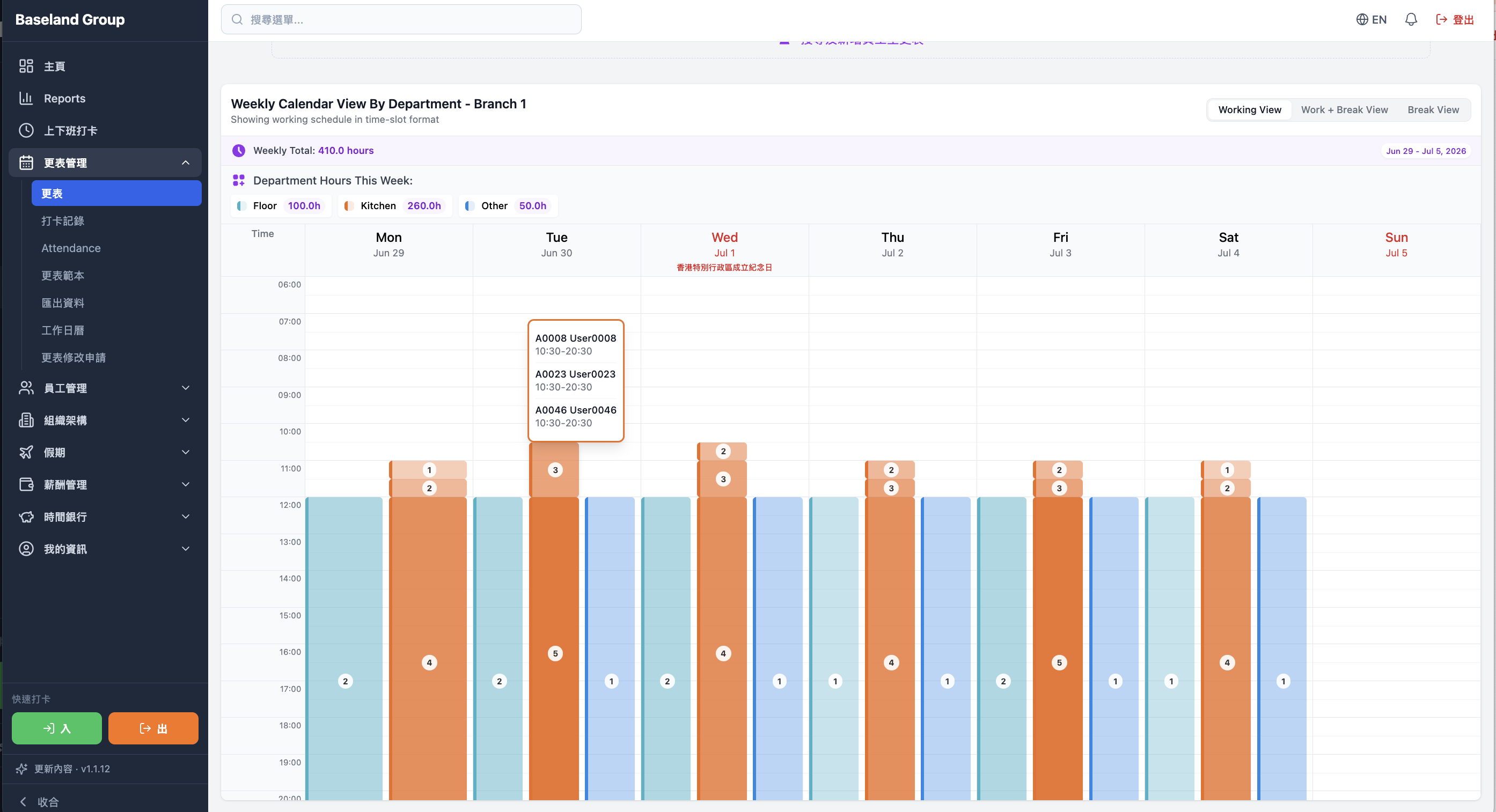
Runner, Helper, and other roles can be placed by date and shift, so the floor is staffed for the work in front of it.
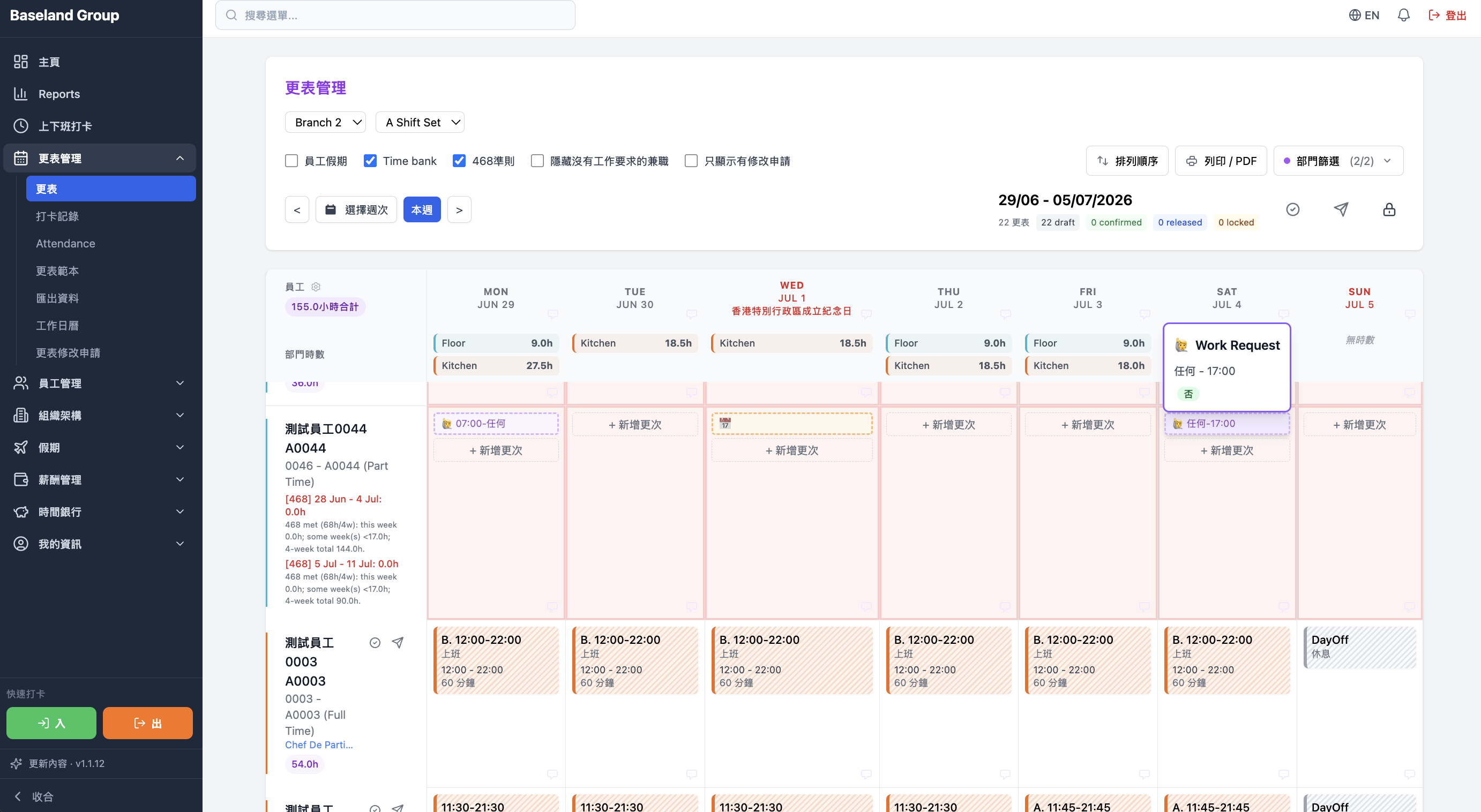
Staff ask to swap or change a shift in the system. Managers review, approve, and update the roster without losing the thread in chat.
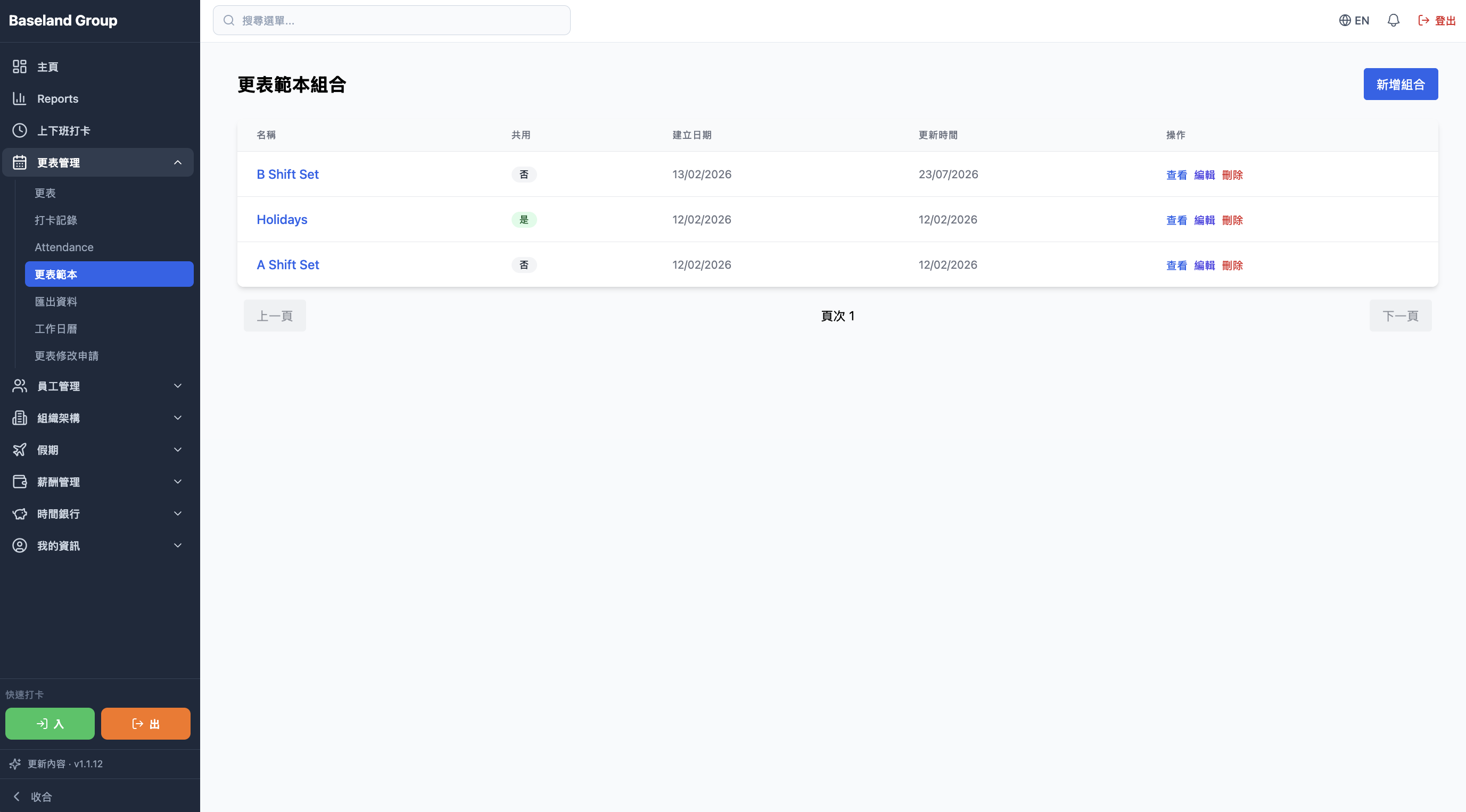
Save a pattern you use often and apply it again. Useful when the week repeats, and when more than one store needs a roster.
See how people and hours line up by date, shift, and role, then adjust the roster and the labour cost.
Balances and planned leave stay visible while you roster, so you know who is actually available.
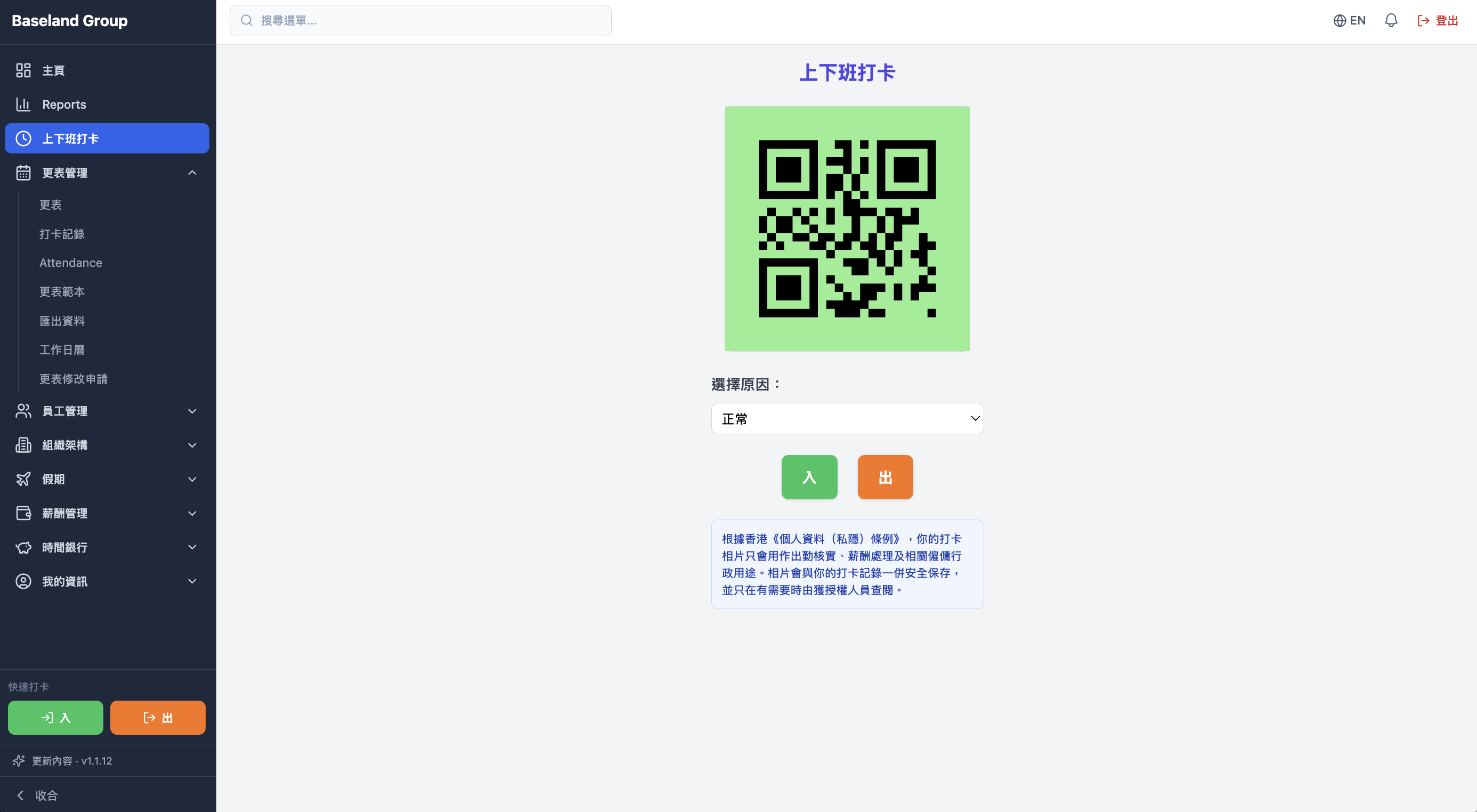
Store and month views put shifts, leave, and schedule requests on the same calendar. A multi-site group can read the whole month’s staffing first.
See work, shifts, leave, and the schedule store by store — built for groups that need each site at a glance.
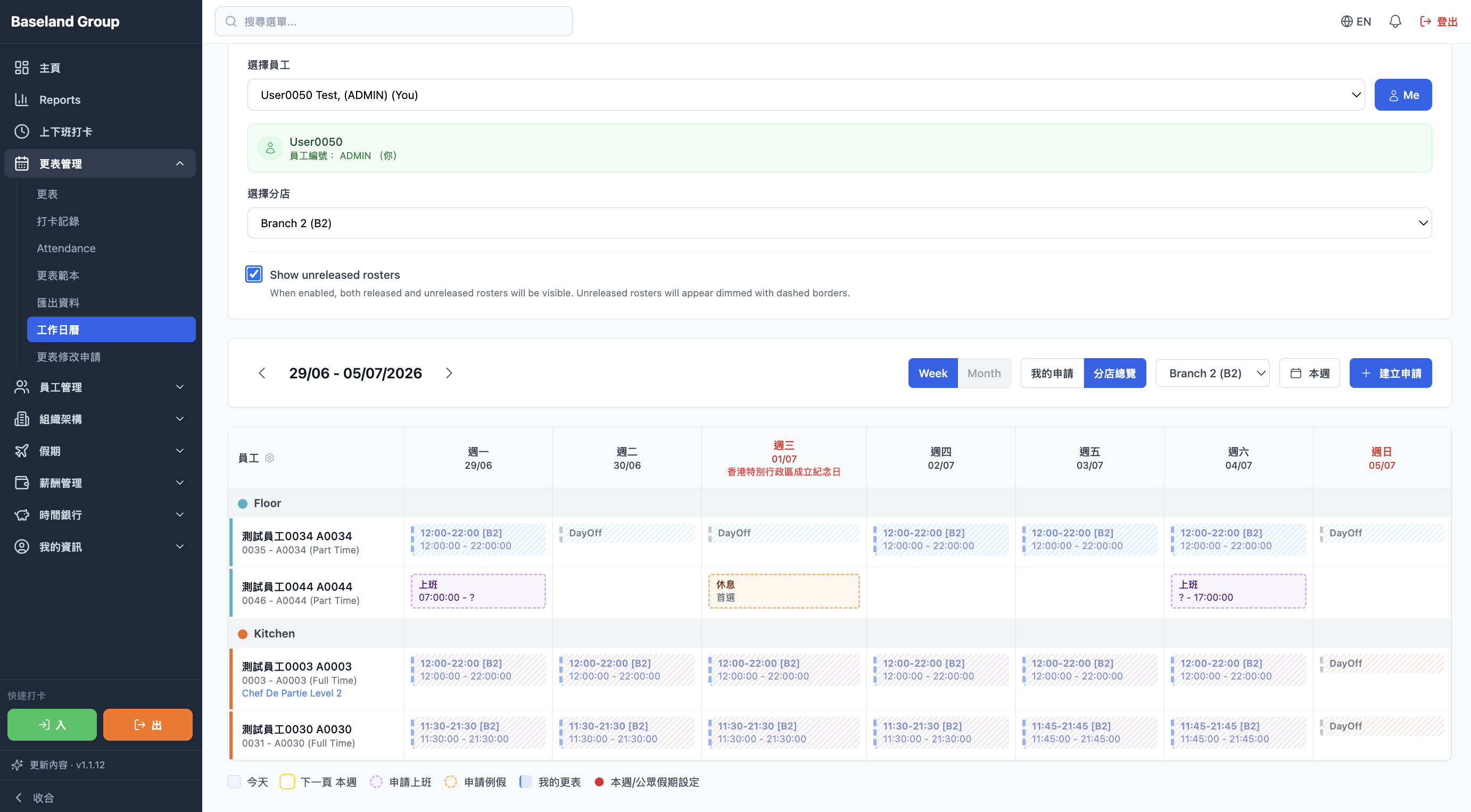
A month calendar shows shifts, work, and leave together, so the month can be planned before it arrives.
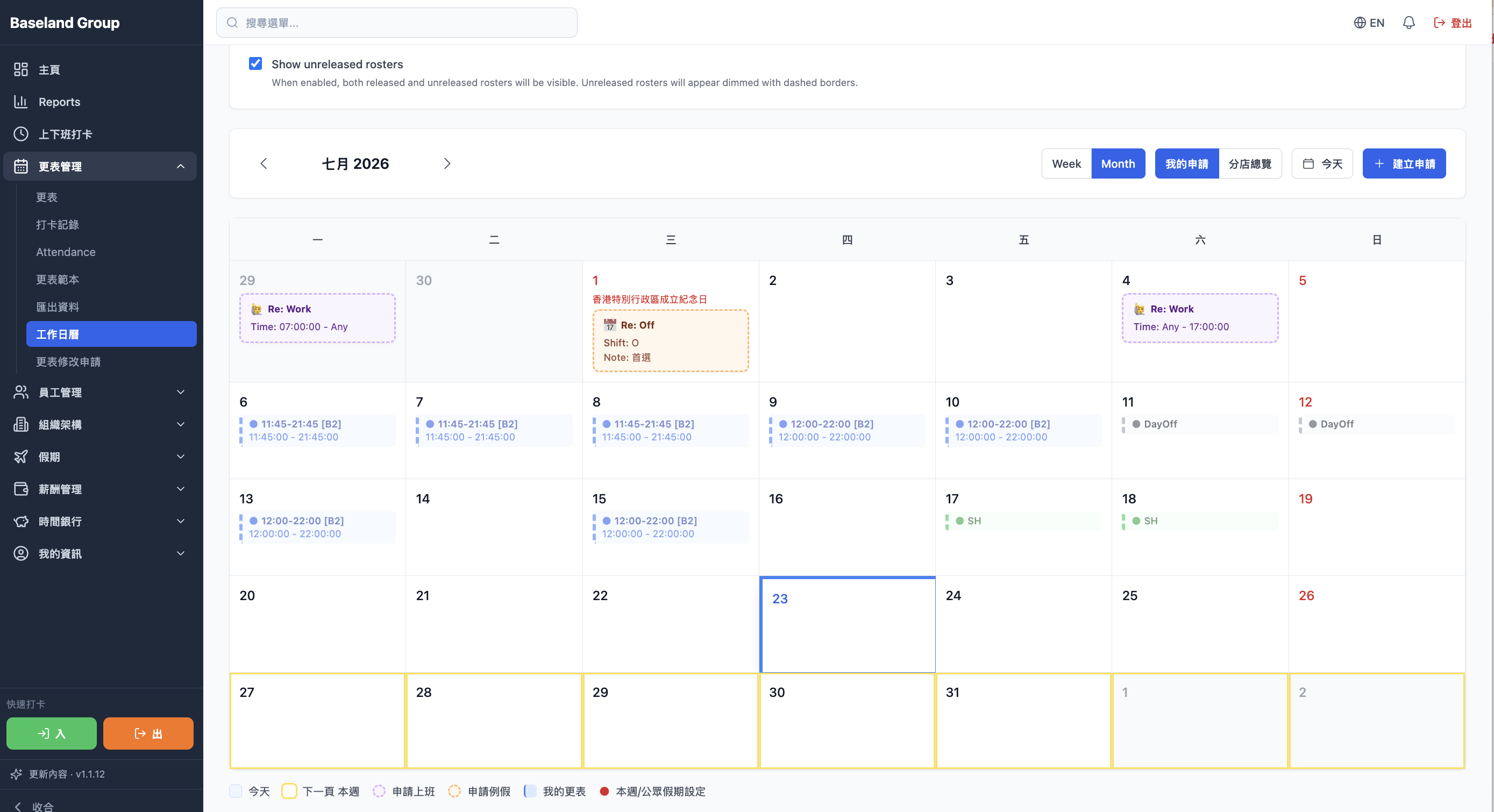
Staff submit schedule requests online. Managers review and approve them in one place.